Apple Computers
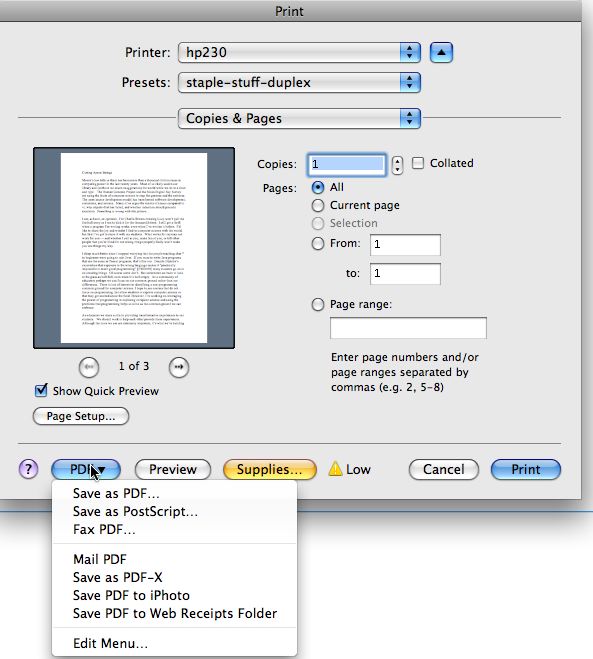
On an Apple/Mac you create a PDF by choosing to print your document, e.g., from the File menu. In the print dialog choose the bottom-left PDF button and save as pdf. Here's a screen shot:
Alternatively, you can download the CutePDF Writer freeware for Windows
computers and use this on your machine. Be sure to look for the
freeware version.
Apple Computers
On an Apple/Mac you create a PDF by choosing to print your document,
e.g., from the File menu. In the print dialog choose the
bottom-left PDF button and save as pdf. Here's a screen shot:
Browsing the Web
We suggest you use the
Firefox Browser. It's free,
fast, and good.